
If you are searching for podcast editing software in India, you have probably already seen the same English-first lists again and again. Most of them skip the questions that matter to us in Jaipur: does it understand Hindi, what happens when you speak Hinglish, and what do you do when two people talk over each other? We edit podcast episodes at Oskillo Studio in Jaipur, so here is the honest version.
Key takeaways
- Editing tools fall into four groups: transcript-based editors, clip finders, caption tools and noise removal. You usually need more than one.
- Hindi support is real but uneven. A tool may transcribe Hindi yet limit some editing features to English.
- Hinglish and mixed-language files are the weak spot, so plan a native-speaker proofread for captions.
- Separate mic tracks from a studio recording fix most cross-talk problems before editing even starts.
- Oskillo Studio charges Rs 3,000 for a podcast edit of up to 90 minutes, and Rs 10,000 for the Complete Podcast Edit.
What counts as podcast editing software in India?
Podcast editing software in India means any tool that helps you cut an episode, clean the sound, add captions or pull short clips. No single app does all four well in Hindi, so most creators combine two or three. Pick by the job, not by the brand.
Here is how we sort the tools when a client asks us what to use.
| Category | What it does | Hindi / Hinglish watch-out |
|---|---|---|
| Transcript-based editor | You delete text and the matching audio or video disappears | Language list and feature limits vary; mixed-language files may not be supported |
| Clip finder / clip maker | Suggests short segments for Reels and Shorts | It picks by transcript, so a weak Hindi transcript means weak picks |
| Caption tool | Burns subtitles onto video | Hinglish spelling and Devanagari versus Roman script can come out inconsistent |
| Noise removal | Reduces room noise, hiss and echo | Works on sound, not language, but weak input gives poor output |
This is also why a good best podcast editing app search rarely ends with one winner. The right stack depends on whether you speak English, Hindi or both in the same sentence.
Can a text-based podcast editor handle Hindi and Hinglish?
Partly. Descript lists Hindi as a Beta transcription language, and its help page says files with multiple spoken languages are not currently supported. That matters for Hinglish episodes. The same page notes that some editing tools work only on English transcripts.
Adobe Podcast is a similar story. Its technical requirements page lists Hindi among transcription languages, but a February 2025 update note names only six, without Hindi. Language lists change often, so check the vendor’s current page before you pay for anything.
What does the text-based idea give you? In Adobe’s Studio you delete words in the transcript and the matching audio or video is removed. Riverside’s editor keeps a separate audio and video track for each participant and can strip filler words and silences in a click. Both are useful, but check how filler-word removal treats Hindi words. Your “matlab”, “basically” and “toh” may still need a human decision.
Our practical advice: run a ten-minute test clip in your own voice, in your own mix of languages, before committing. Check the transcript by reading it yourself, not by trusting a percentage on a vendor page.
How do you get accurate Hindi podcast captions?
Use a caption tool to make the first draft, then have a native Hindi speaker proofread every line. Tools often mishear English words inside Hindi sentences and name spellings. Hindi podcast captions need that last human check, and almost no guide tells you to budget for it.
A few things to decide first:
- Script: Devanagari or Roman? Hinglish captions for Reels usually read better in Roman script, while Hindi-only shows suit Devanagari.
- Loanwords: keep English words like “sponsor” or “episode” in English letters, even inside Devanagari captions.
- Names and places: add Jaipur, Rajasthani and brand names to your proofread list, since tools guess them wrong.
- Style: two short lines on screen, large text, high contrast, safe from the platform’s buttons.
Newer tools are being built for this gap. Kalakar says it makes captions in Hindi, Urdu, Bengali and other regional languages, though it is still a new beta tool. We would treat any new tool as a draft-maker, not a final answer. Hinglish mein bolte ho toh caption bhi Hinglish mein hi theek lagta hai, and you need your own eyes on it.
Does a podcast clip maker find the right Reels and Shorts?
A podcast clip maker can shortlist segments quickly, but it cannot tell which moment suits your audience. It reads the transcript, so a clip with a joke, a pause or a Hindi punchline can be missed. Use it to find candidates, then choose the final three yourself.
Here is how we judge a clip, whatever tool surfaced it:
- Does it make sense with no context in the first three seconds?
- Does it finish a thought, or end mid-sentence?
- Is the audio clean, with only one person speaking at a time?
- Will the caption fit comfortably on a vertical screen?
Keep each clip to one clear idea and one speaker at a time.
How do you remove background noise from a podcast and fix cross-talk?
Fix noise at the source first, then clean what is left. Record in a quiet room, keep the mic close, and give each speaker their own track. Software can reduce hiss and echo, but it cannot cleanly separate two voices recorded together on one track.
Adobe says its Enhance Speech is language agnostic, and that results depend on how audible the speaker is and how much background noise there is. So it works on sound, not on Hindi or English, but a weak recording gives weak output. The same page notes that its Studio keeps multi-track uploads separate.
Cross-talk is where transcripts break. When two people overlap, one transcript line gets both voices, and the text editor cannot cut one without the other. Separate mic tracks solve this before editing begins.

Can you edit a podcast on your phone? For a quick Reel, yes. For a multi-track episode with overlapping speakers, a laptop is far less painful.
Edit your podcast yourself or hire a podcast editor in India?
Edit it yourself if you publish rarely, enjoy the craft and your episodes are short and clean. Hire an editor when editing eats the hours you need for guests, topics and promotion, or when you publish weekly and quality starts slipping.
Ask yourself three questions:
- How many hours does one episode take you, honestly, including captions and clips?
- What would you do with those hours otherwise?
- Can you spot a bad Hindi caption or an audio glitch on a phone speaker?
If your answers are “too many”, “something that earns”, and “not always”, outsourcing is usually cheaper than it looks.
How much time and money does a podcast edit really cost?
Expect about 2 to 3 hours of editing for a 60-minute interview, according to Twine. Narrative episodes can take 6 hours or more. A beginner will usually be slower. Paid editing in India ranges widely by experience, as the table shows.
| Option | Typical cost per episode | Source / note |
|---|---|---|
| Edit it yourself | Your time: roughly 2-3+ hours per 60-minute interview | Twine; add learning time |
| Freelancer, entry level | Rs 500-1,500 | Fueler |
| Freelancer, mid level | Rs 1,500-4,500 | Fueler |
| Freelancer, expert | Rs 4,500-10,000 or more | Fueler |
| Oskillo podcast edit (up to 90 min) | Rs 3,000 | Our published rate |
| Oskillo Complete Podcast Edit | Rs 10,000 | Main edit, highlight, 3 reels with covers, 2 thumbnails |
A simple break-even: if your own hour is worth Rs 1,000, a three-hour edit already costs you Rs 3,000. That is what Oskillo Studio in Jaipur charges for a podcast edit of up to 90 minutes. See all rates on our podcast studio pricing page.
How do we edit episodes at Oskillo?
We edit in four steps: concept, pre-production, production and post-production. Because we often record the episode too, we already know the mic, camera and room, so the edit starts from footage and audio we understand instead of guesswork.
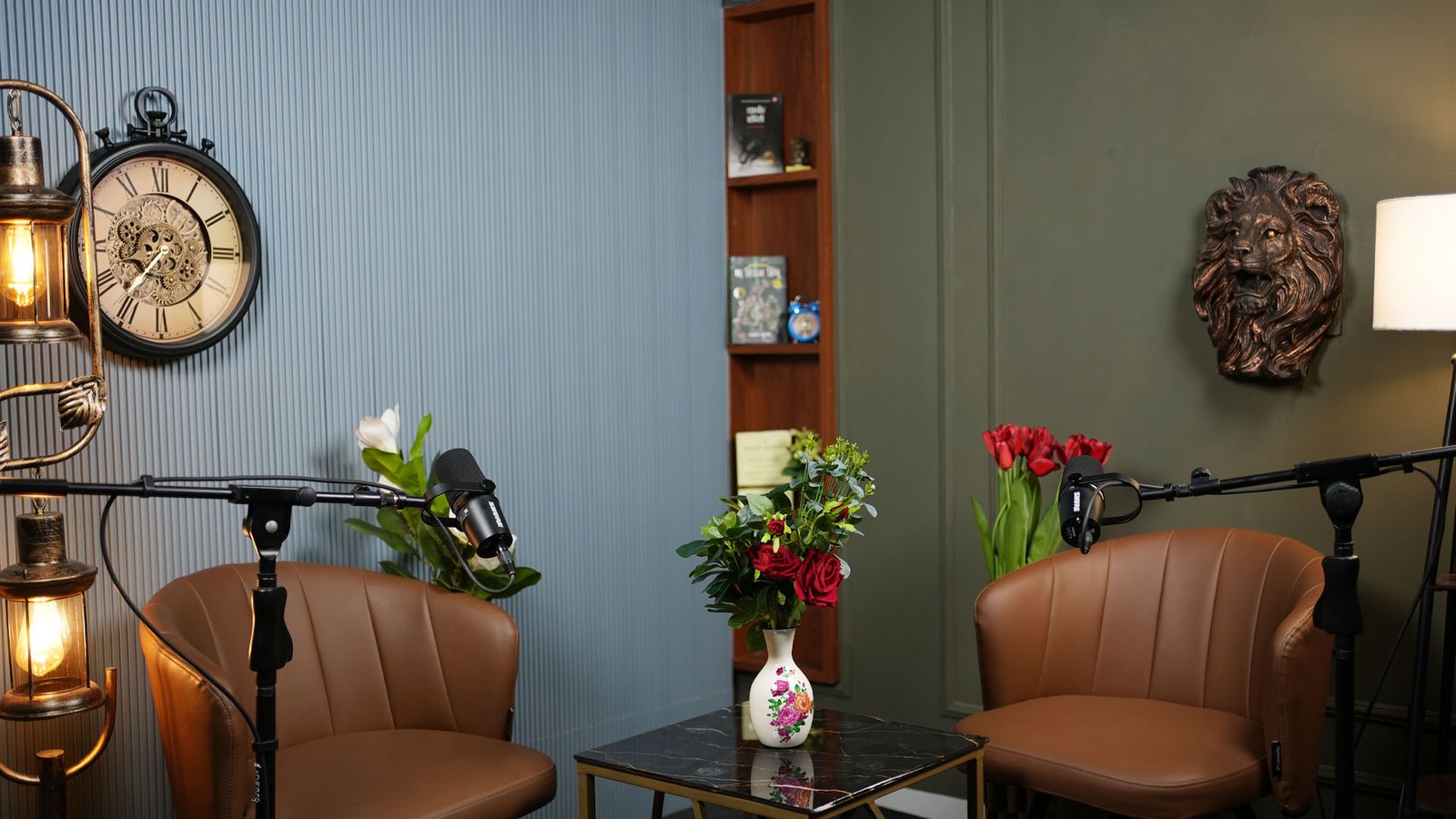
For audio, Business Class uses a Shure SM7B mic with a RODECaster Pro II console. Economy Class uses a Shure MV7+ with a Zoom PodTrak P8 recorder. Whatever you record on, separate mic tracks are what make a clean edit possible.
Post-production covers the edit, colour, audio mastering, thumbnails, captions, reels and platform exports. Our menu is simple:
- Reel edit (up to 1 min + cover): Rs 1,500
- Cinematic highlight edit: Rs 3,000
- Thumbnail: Rs 500
Our podcast editing services in Jaipur also work remotely for clients outside the city, and you can rent the studio with or without editing. Our team has delivered 100+ productions, and beginners are guided throughout.
What should you hand over to an editor?
Hand over everything the editor would otherwise have to guess: raw files, a clear brief and your proofread list. Send each mic track, every camera angle and clear notes on names, spellings and caption style. A complete handover helps avoid extra revision rounds, which cost both time and money.
- Raw files: each mic track and camera angle, not just a mixed-down file.
- Episode notes: title, guest name, and the timestamps of moments you loved.
- Spelling list: names, brands, places, and which words stay in English letters.
- Caption style: Devanagari or Roman, plus your brand colours and font.
- Deliverables: main episode, how many reels, thumbnails, and the platforms you post to.
- Deadline: and who gives final approval.
Not sure what to send? Message us on WhatsApp or use the contact page, and we will tell you before you spend anything.
Some product links on this page are Amazon affiliate links. As an Amazon Associate, YTMahendra Podcast earns from qualifying purchases, at no extra cost to you.
Frequently asked questions
What is the best podcast editing software in India?
There is no single best option. Pick a transcript-based editor for cutting, a caption tool for subtitles, and a noise removal tool for sound. For Hindi or Hinglish, test each one on a ten-minute clip of your own voice, because language support and editing features differ between tools.
Can Descript edit Hindi or Hinglish podcasts?
Descript lists Hindi as a Beta transcription language. Its help page also says files with multiple spoken languages are not currently supported, and some editing tools work only on English transcripts. For Hinglish episodes, run a test file first and expect to correct the text by hand.
How do I add Hindi captions to a podcast video?
Create a first-draft caption with a tool that supports Hindi, then correct it line by line. Choose Devanagari or Roman script, keep English loanwords consistent, and have a native speaker proofread names and places. Export the captions in a large, high-contrast style that suits vertical video.
What is the best free podcast clip maker for Reels and Shorts?
Free plans change often, so check each tool’s current limits before relying on one. Whatever you choose, treat its suggestions as a shortlist. Pick clips that make sense without context, end on a finished thought and have clean single-speaker audio, then caption them yourself.
Is it better to edit my podcast myself or hire an editor?
Edit yourself if you publish rarely, enjoy the work and speak mostly one language. Hire an editor when editing delays your episodes, when you need clips, thumbnails and captions every week, or when multi-camera video and Hinglish make the job heavier than your time allows.
Can I edit a podcast on my phone?
Yes, for a simple cut, a trim or a quick Reel. Phone apps struggle with long multi-track episodes, separate speaker tracks and careful caption proofreading. For a full video podcast with two or more mics, a laptop or an editor gives you far more control.
Book your session at Oskillo Studio
Soundproof sets, 2 Sony 4K cameras, Shure mics and an on-site technician in Vaishali Nagar, Jaipur. Studio rent starts at Rs 2,000 per hour.
WhatsApp +91 96101 80066 | See all prices | 3rd Floor, VR Theme Park, Gandhi Path, Vaishali Nagar, Jaipur