

If you want to know how to tag Amazon products on YouTube India creators can use right now, the answer starts with three accounts: YouTube Partner Program, YouTube Shopping affiliate, and an Amazon affiliate account linked to your channel. Amazon India’s announcement about joining the programme is dated 20 October 2026, so this is new, and some channels will not see the option yet. We have gone through YouTube’s and Amazon’s own pages and the news coverage so you do not have to.
Key takeaways
- Amazon India has joined YouTube Shopping. Eligible creators can tag products in Shorts, long videos and livestreams.
- You need YouTube Shopping affiliate access, an Amazon Influencer or Associates account in good standing, and a linked channel.
- Reports say the subscriber floor dropped to 500 in March 2026, but YouTube’s own page only mentions the Partner Program threshold. Confirm in YouTube Studio.
- You can tag up to 60 products per video, and you can add tags to old videos too.
- Affiliate commission counts as a material connection in India, so disclose it clearly in the video itself.
- Clean close-ups, steady light and a clearly spoken product name help a tag get tapped.
What changed: Amazon joins YouTube Shopping in India
Around 20 October 2026, Amazon India announced it is joining the YouTube Shopping affiliate programme. Eligible creators can tag Amazon products in Shorts, long videos and livestreams and earn commission when viewers buy. The YouTube Shopping affiliate programme itself launched in India in October 2024 with Flipkart and Myntra.
Amazon says creators have helped close to 40 million customers shop on Amazon.in this year (Amazon India). Amazon also said its Influencer Program has grown to 2 lakh creators, doubling year on year, and YouTube India’s managing director Gunjan Soni said over 450 million people in India have shopping-related searches on YouTube (Adgully).
Amazon is not alone. Coverage of the September 2026 expansion also names Meesho, AJIO, Tata CLiQ and Snapdeal, while Nykaa, Purplle, Shopsy and Tira were already in (Analytics Insight). Business Standard reported that the Amazon tagging feature would roll out “in the coming weeks” after a US launch in August (Business Standard). No source promises that every Indian channel has access today, so check your own Studio.
Who is eligible for the YouTube Shopping affiliate programme in India?
YouTube Help lists three requirements for tagging Amazon products. You must be in the YouTube Shopping affiliate programme in the US, Brazil or India. You must be in the Amazon Influencer Program or Amazon Associates Program with an account in good standing. And your YouTube channel must be linked to that Amazon account.
| Requirement | What it means | Where to check |
|---|---|---|
| YouTube Partner Program | Channel is enrolled, based in an eligible country such as India, not a music channel and not Made for Kids | YouTube Studio |
| YouTube Shopping affiliate | You have joined the affiliate programme for India | YouTube Studio |
| Amazon account | Influencer Program or Associates, in good standing | Your Amazon account |
| Channel link | YouTube channel connected to that Amazon account | Amazon and YouTube settings |
The subscriber question trips up most people. YouTube’s affiliate programme Help page only says your channel must meet the Partner Program subscriber threshold. Several outlets, including Make Influence, report that the affiliate floor fell from 10,000 to 500 subscribers around late March 2026. Older guides still say 10,000. We could not find YouTube’s own page stating 500, so trust what your Studio shows. Our guide to YouTube monetization requirements in 2026 covers the Partner Program side.
On the Amazon side, the Influencer Program accepts applications with a YouTube, Instagram or Facebook account. Amazon reviews follower count together with content quality, relevance and engagement, and it publishes no fixed minimum (Amazon India). So ignore any post claiming you need exactly 1,000 followers.
How to tag Amazon products on YouTube videos in India: step by step
The process has two halves: getting approved, then tagging inside YouTube Studio. Do them in order, because the tagging option only appears once your channel, your YouTube Shopping affiliate access and your Amazon account are all connected. Here is the sequence we would follow.
- Check Partner Program status. Open YouTube Studio and confirm your channel is in the YouTube Partner Program.
- Join the YouTube Shopping affiliate programme. Look for the Shopping or affiliate option in Studio and accept the terms for India.
- Get an Amazon account. Apply to the Amazon Influencer Program, or use an Amazon Associates account that is in good standing.
- Link your channel. Connect your YouTube channel to the Influencer or Associates account, so Amazon products appear as taggable.
- Tag while uploading. In YouTube Studio, add products during upload. For an existing video or Short, edit it and open the Tagged products section.
- Mark paid promotion. Under Content, open the video, then More options, and tick “My video contains paid promotion”. YouTube then shows a disclosure message at the start.
YouTube allows up to 60 products per video (YouTube Help). Please do not use all 60. Tags must relate to the content and must not mislead, and spam tagging of unrelated products can get tags removed. Tag what you actually show or discuss.
Can you tag Amazon products in YouTube Shorts and earn commission?
Yes. Amazon’s announcement says eligible creators can tag products in Shorts, long-form videos and livestreams. That means you can earn commission on YouTube Shorts in India when a viewer buys through your tag, provided you meet the same eligibility rules as for long videos.
Commission rates are the gap in every source we read. Amazon’s own page does not list sample rates for tagged products, so do not trust any earnings table you see online. Check the rates inside your Amazon account. Also remember that brands can offer higher commission or bonuses through affiliate campaigns, but creators are never required to join one.
If you already use affiliate links on Instagram, the logic is similar, and our post on Instagram Reels affiliate links in India shows how that side works. For help deciding where to post first, read Instagram Reels vs YouTube Shorts.
Do you have to disclose affiliate links on YouTube in India?
Yes. ASCI treats affiliate commission as a “material connection”, so you should tell viewers when a tagged product earns you money (OM Enterprises advisory). The disclosure must be upfront and prominent, so an average viewer cannot miss it (ASCI).
There are two layers. The first is YouTube’s own tool: tick “My video contains paid promotion” in Studio, and YouTube shows a disclosure message at the start of the video (YouTube Help). The second is your own words. One advisory says that for long videos the disclosure should sit inside the video, not only in the description, and that platform tools should add to your disclosure, not replace it.
India’s CCPA endorsement guidelines also say disclosures should be hard to miss and delivered in audio or video format, not only in English (MediaNama). If you speak Hindi on your channel, say the line in Hindi. A simple version:
“इस वीडियो में Amazon के affiliate लिंक हैं। इन लिंक से खरीदारी करने पर मुझे कमीशन मिल सकता है।” (This video has Amazon affiliate links. If you buy through them, I may earn a commission.)
Labels such as Ad, Sponsored, Partnership and Affiliate are commonly cited as acceptable. Pick the one that matches your situation, say it aloud near the first product mention, and add an on-screen text card. We are not lawyers, so read the ASCI page yourself if you work with brands.
How do you shoot a product segment that converts?
A product segment converts when the viewer can see the product clearly, hear its exact name and watch it being used. A tag only gets tapped if the viewer already trusts what they saw. So plan the shots before you plan the tags.
No source we found explains the shooting side, so this is what we follow in the studio. Use this shot list for each product:
| Shot | What to show | Why it helps |
|---|---|---|
| Hero shot | Product alone on a clean, uncluttered surface | Viewer knows exactly which product the tag is for |
| Label close-up | Brand, model name, size or variant | Avoids “which one is this?” comments |
| Hands-on demo | You using it for 10 to 20 seconds | Shows the product works, which builds trust |
| Spoken name | Say the full product name once, slowly | Matches what viewers search and what the tag says |
Keep the light steady. A soft, large light source avoids harsh glare on packaging, and a Godox SB-GUE80 octagon softbox is the kind of tool that does this job. For sharp close-ups, a lens like the Sony FE 85mm F1.4 GM on a body such as the Sony A7 IV separates the product from the background nicely.
In a podcast or long video, put the segment where attention is high, usually after a natural topic change, not in the first seconds. Film the demo in one go, then cut a 20 to 30 second Short from the same footage so one shoot feeds both formats.
At Oskillo: how we shoot product segments in Jaipur
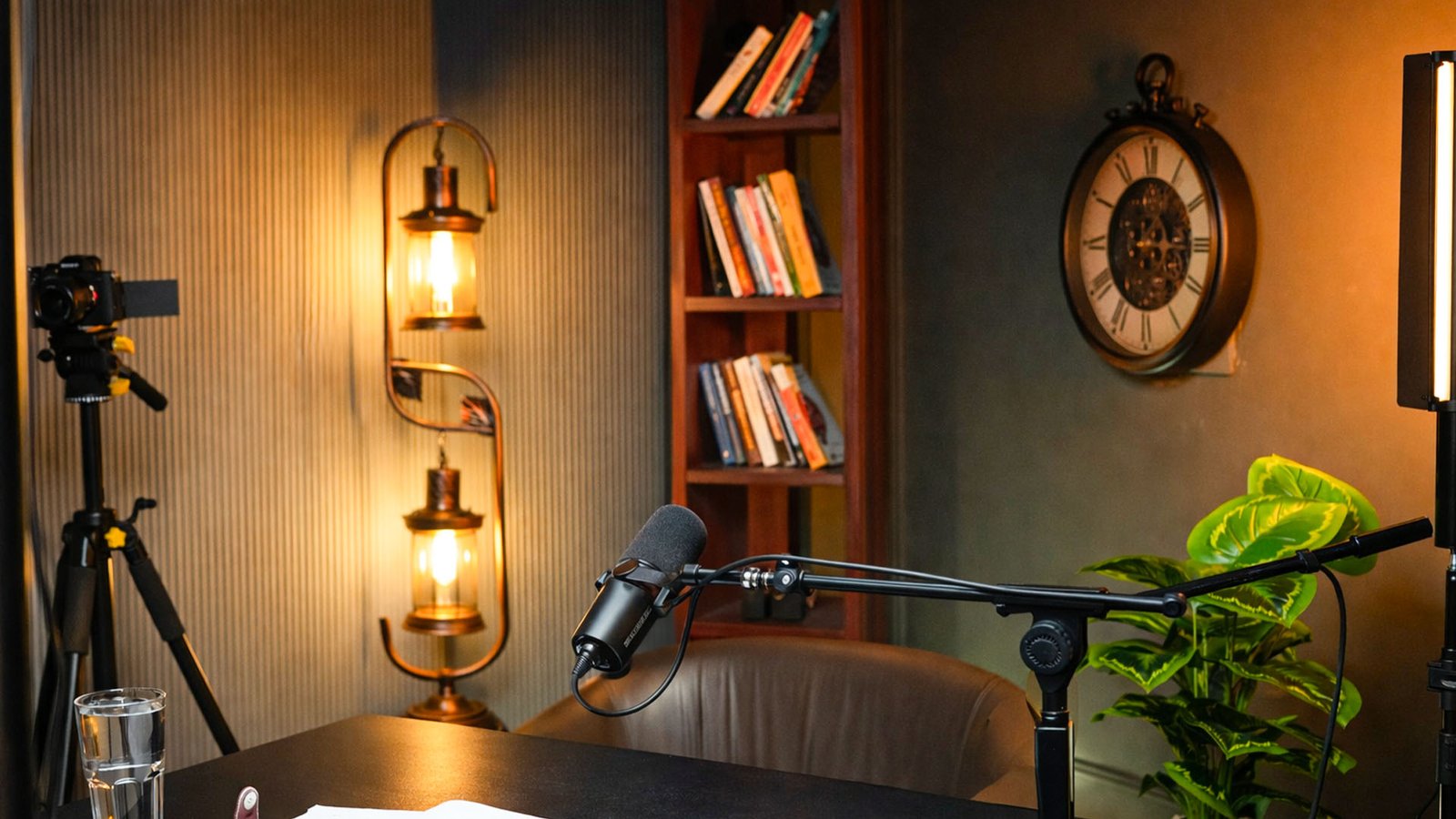
Oskillo Studio in Vaishali Nagar, Jaipur is open every day from 10 AM to 8 PM, and creators can book a product-review shoot with or without editing. Our Economy Class Advance pack costs Rs 4,000 per hour and includes 2 Sony 4K cameras, a Shure mic, a pro audio recorder, lights and a technician.
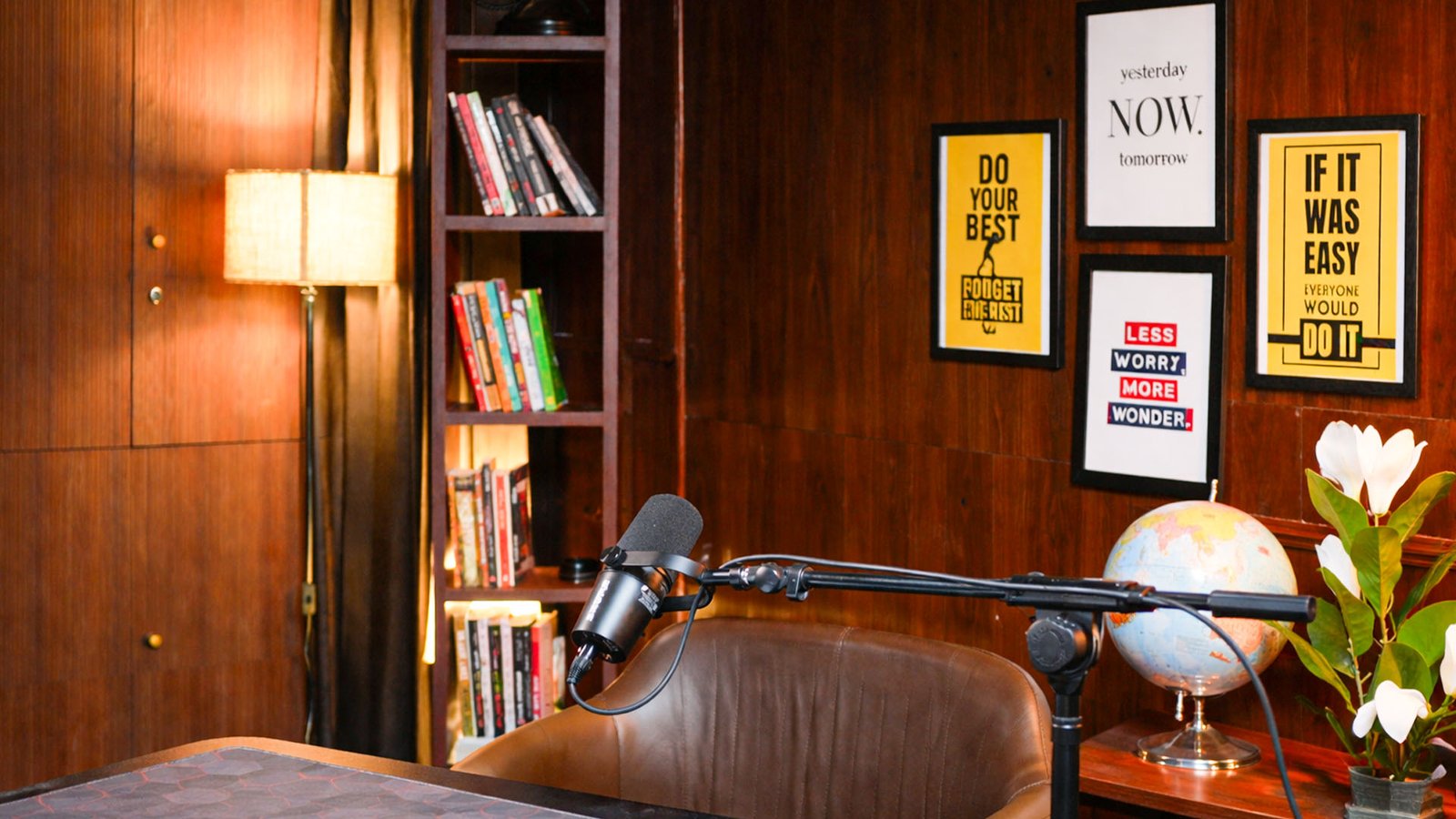
Here is how a typical session works. We start with a quick concept chat: which products, which order, what you will say about each. Then we set up one of our sets, such as the green wall, grey vintage or office set, and check the mic, light and camera before you start. One camera stays on you, and the second can be locked on a close-up of the product, so you get the hero shot and the host shot in a single take.
Our lighting is 2 main lights, 2 LC lights and 2 lamp lights, so packaging does not glare. Backdrops, props and set elements can be changed, which is handy if you review products across categories and want each video to look different. The founders are present at every shoot to guide you, and beginners are welcome.
After the shoot, editing is optional. A reel edit (up to 1 minute plus cover) is Rs 1,500, a thumbnail is Rs 500, and the Complete Podcast Edit at Rs 10,000 includes the main edit, a highlight, 3 reels with covers and 2 thumbnails. Clients outside Jaipur can use remote editing. See the full pricing page or our studio rental service, and message us on WhatsApp to plan your slot.
Why can’t you see the Shopping option in YouTube Studio?
Most likely because the feature has not reached your channel yet, or one of the three requirements is missing. Business Standard said the Amazon tagging rollout would happen “in the coming weeks”, and no source says every Indian creator has access today. Check eligibility before you assume something is broken.
Go through this short list:
- Partner Program status: your channel must be in the YouTube Partner Program, must not be a music channel and must not be Made for Kids.
- Affiliate access: you must have joined the YouTube Shopping affiliate programme for India. Reports of a 500-subscriber floor are not confirmed on YouTube’s own page, so rely on what Studio shows.
- Amazon account: your Influencer Program or Associates account must be in good standing. If your Influencer application is still under review, wait for approval.
- Channel link: the channel must be linked to that Amazon account. An unlinked channel will not show Amazon products as taggable.
If all four are done and the option is still missing, wait a few days, since rollouts can reach channels in stages. Then use the “Tag Amazon products with YouTube Shopping” Help page to recheck the requirements, and contact YouTube support if the option still does not appear. In the meantime, keep shooting. Footage you film now can be tagged later, because you can add tags to existing videos once access arrives.
Some product links on this page are Amazon affiliate links. As an Amazon Associate, YTMahendra Podcast earns from qualifying purchases, at no extra cost to you.
Frequently asked questions
How do I tag Amazon products on YouTube videos in India?
First get YouTube Shopping affiliate access and an Amazon Influencer or Associates account, then link your channel to it. After that, add products in YouTube Studio during upload, or edit an existing video and open Tagged products. You can tag up to 60 products per video.
Can I tag Amazon products in YouTube Shorts?
Yes. Amazon’s announcement says eligible creators can tag products in Shorts, long-form videos and livestreams. You still need the same setup: YouTube Shopping affiliate access, an Amazon account in good standing, and a linked channel. Confirm the option appears in your Studio first.
How many subscribers do I need for the YouTube Shopping affiliate programme in India?
YouTube’s Help page only says your channel must meet the Partner Program subscriber threshold. Several outlets report the floor fell from 10,000 to 500 around March 2026, but we could not find YouTube stating it. Check your own eligibility in YouTube Studio.
Do I need the Amazon Influencer Program to tag products on YouTube?
You need either the Amazon Influencer Program or the Amazon Associates Program, with the account in good standing and linked to your channel. Amazon reviews Influencer applications on follower count, content quality, relevance and engagement, and publishes no fixed minimum.
Do I have to disclose affiliate links on YouTube in India?
Yes. ASCI treats affiliate commission as a material connection, and disclosure must be upfront and prominent. Tick My video contains paid promotion in Studio, and also say it in the video itself, in audio or on screen, not only in the description.
Why can’t I see the Shopping option in YouTube Studio?
The Amazon tagging feature was described as rolling out in the coming weeks, so it may not have reached your channel yet. Also check Partner Program status, your YouTube Shopping affiliate approval, your Amazon account standing and the channel link. Music channels and Made for Kids channels are not eligible.
Can I tag products in old videos?
Yes. YouTube Help says you can edit an existing video or Short and open the Tagged products section. Only tag products that are relevant to what the video shows, and add a clear disclosure in the video, since tags on unrelated products may be removed.
Amazon YouTube Shopping se kitna commission milta hai?
The Amazon and YouTube pages we read do not list commission rates, so any fixed number online is a guess. Check the rates inside your Amazon Influencer or Associates account. Brands may run campaigns with higher commission or bonuses, but you never have to join one.
Book your session at Oskillo Studio
Soundproof sets, 2 Sony 4K cameras, Shure mics and an on-site technician in Vaishali Nagar, Jaipur. Studio rent starts at Rs 2,000 per hour.
WhatsApp +91 96101 80066 | See all prices | 3rd Floor, VR Theme Park, Gandhi Path, Vaishali Nagar, Jaipur